

WordPress built by people who ship on WordPress
We build and maintain a growing catalogue of WordPress themes and plugins, published through WordPress.org — so client sites are built to the same coding standards, security expectations and review process the directory enforces on us.
WordPress will do almost anything. That is the problem
There is a plugin for every requirement, which makes it tempting to solve each one by installing something. Thirty plugins later the site is slow, the update path is frightening, and nobody remembers what half of them do.
The platform is not the constraint. The decisions made in the first fortnight are, and they are usually made by whoever was cheapest and fastest.
Core is well maintained and rarely the problem. The extensions bolted onto it are a different matter, and each one is a dependency you now own.
Block editor, customizer or a page builder — each needs a theme built for it. Most bloat comes from a theme fighting the tool the team actually edits in.
Sites go unpatched because an update once broke something. Staging and a tested update cycle turn that from a risk into a routine.
You are building on the most used CMS on the web
What we ship on WordPress.org
Our themes and plugins are published in the WordPress.org directory, which means each one passed review and is maintained against every core release. Open any of them and inspect the code, changelog and support history yourself.
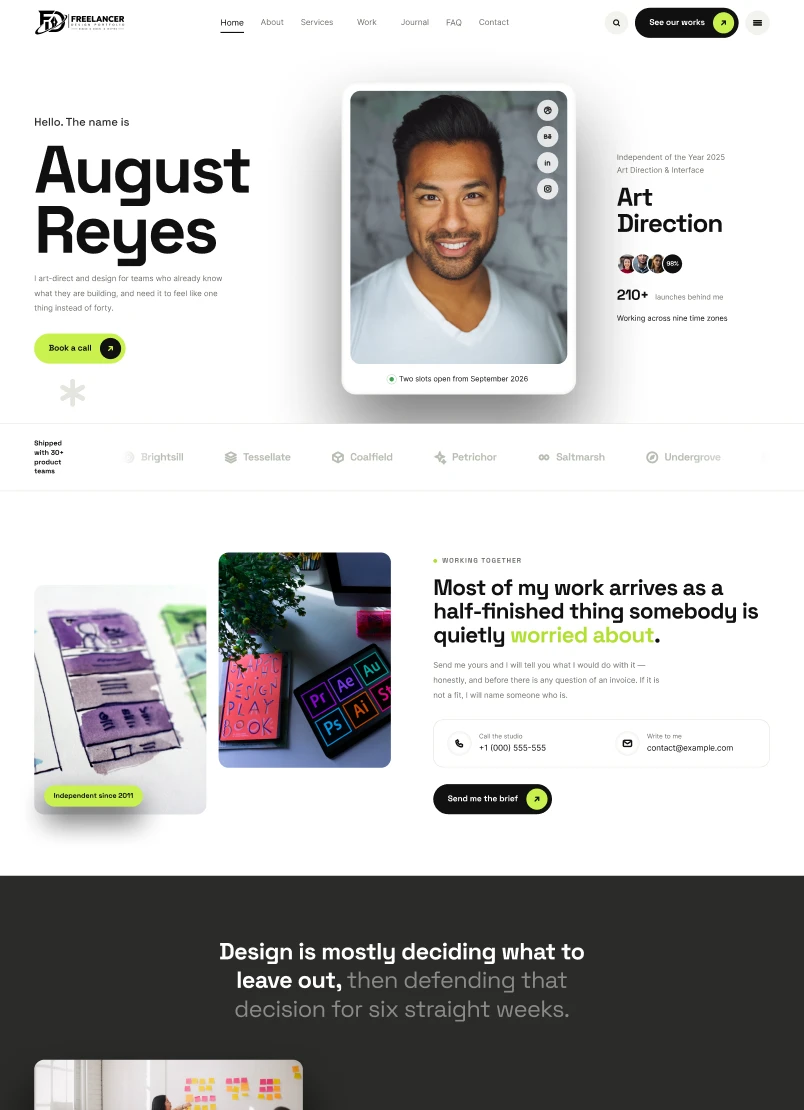
Freelance Portfolio
Built for art directors, designers, developers, illustrators, photographers, copywriters and independent consultants
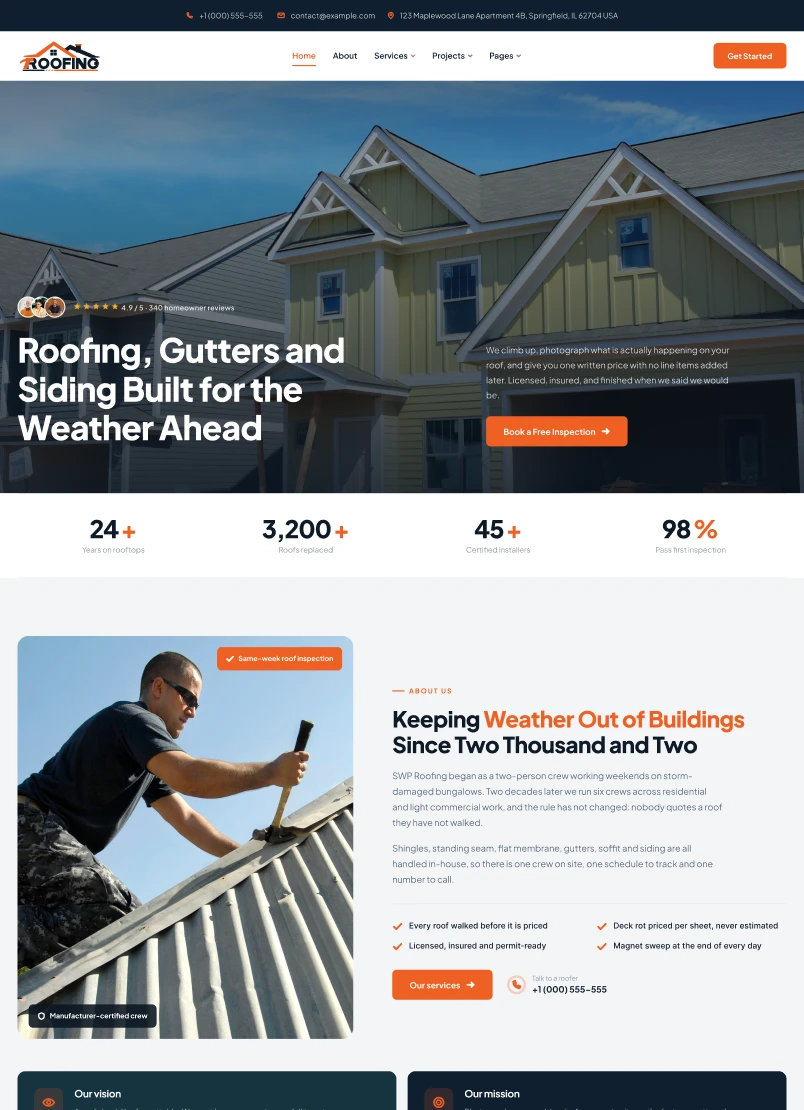
Roofing Company
Built for contractors who install, repair and replace roofs for a living
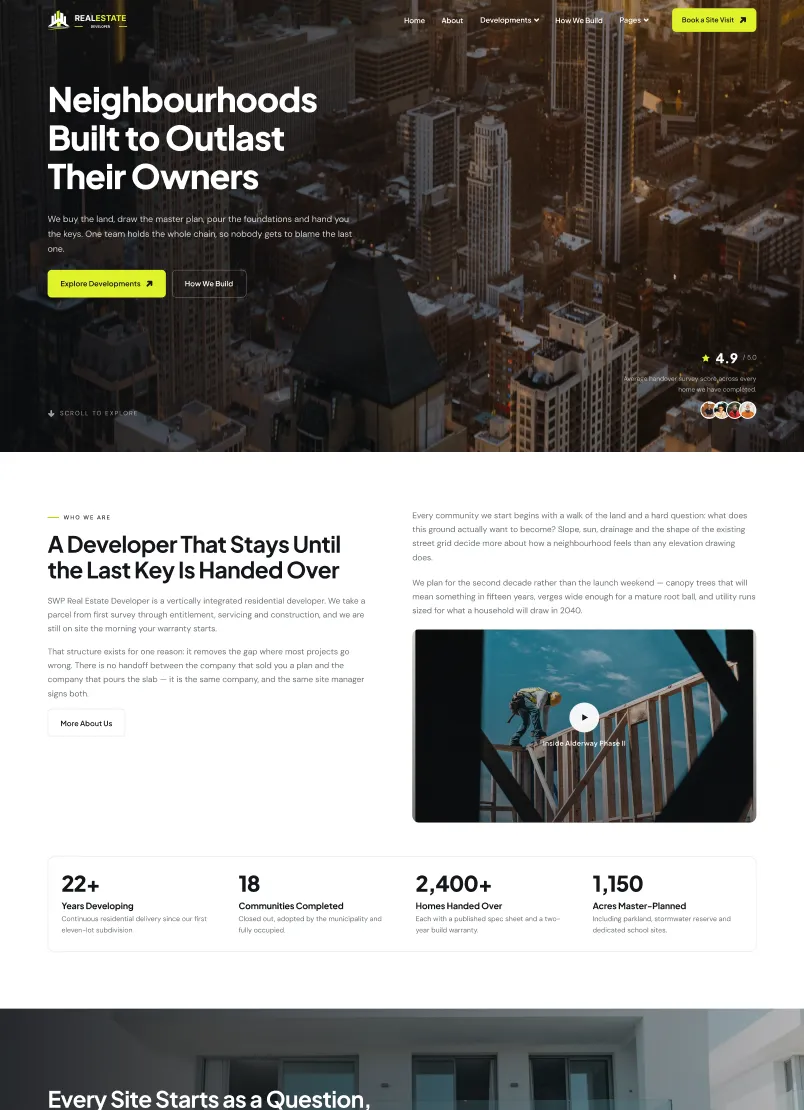
Real Estate Developer
Real Estate Developer WordPress Theme for the people who buy the land, draw the master plan and pour the foundations.
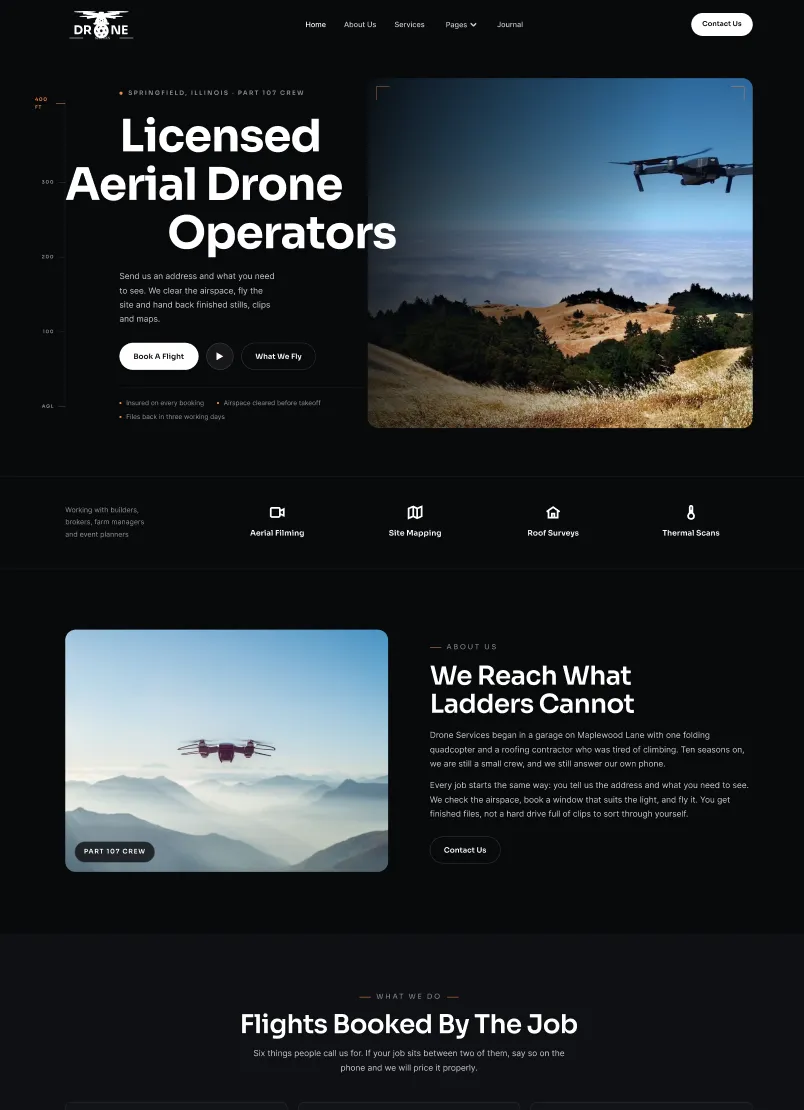
Drone Services
Drone Services WordPress Theme focused on equipment, experience, pricing, and legal compliance.
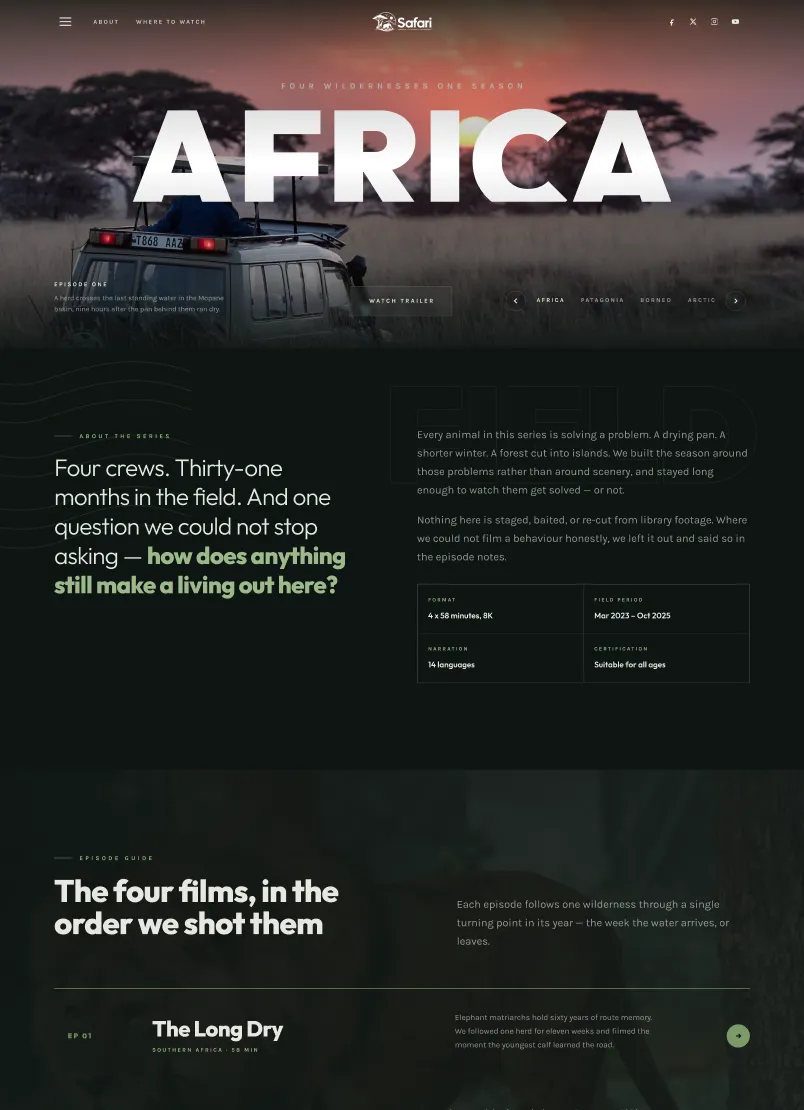
Safari
Theme made for wildlife documentary series, film production companies, safari tour operators and conservation organisations
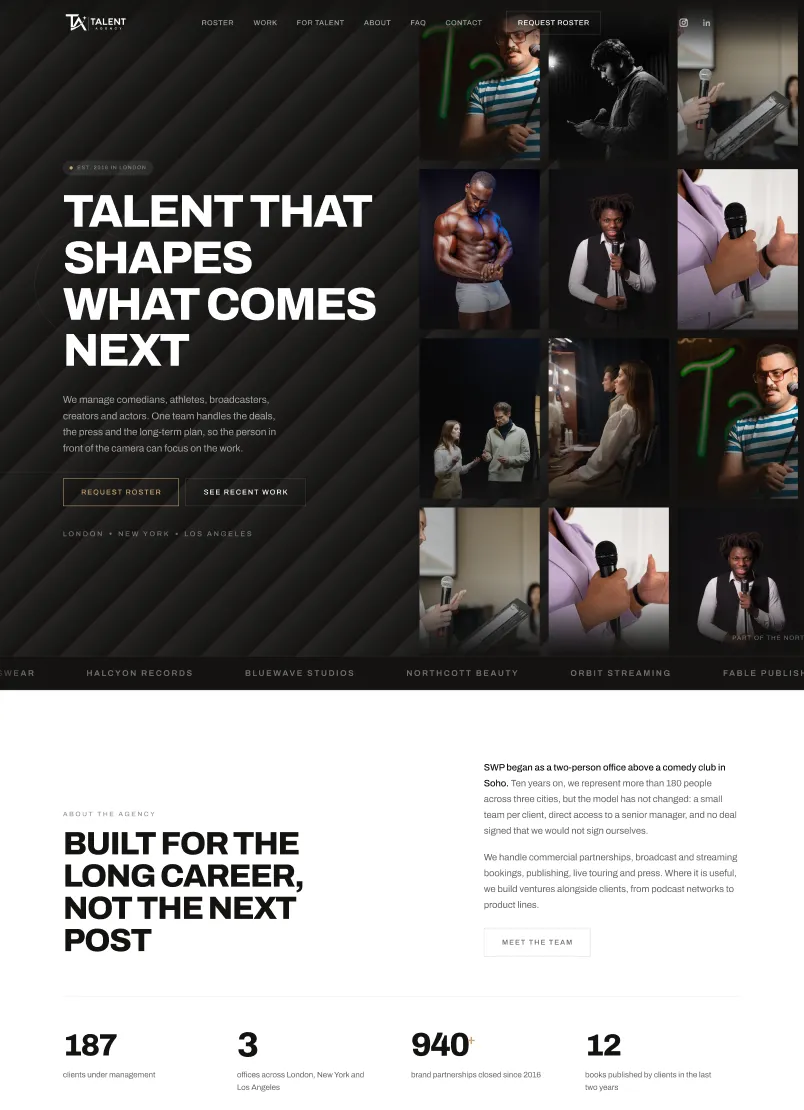
Talent Agency
Built for the businesses that put people in front of cameras
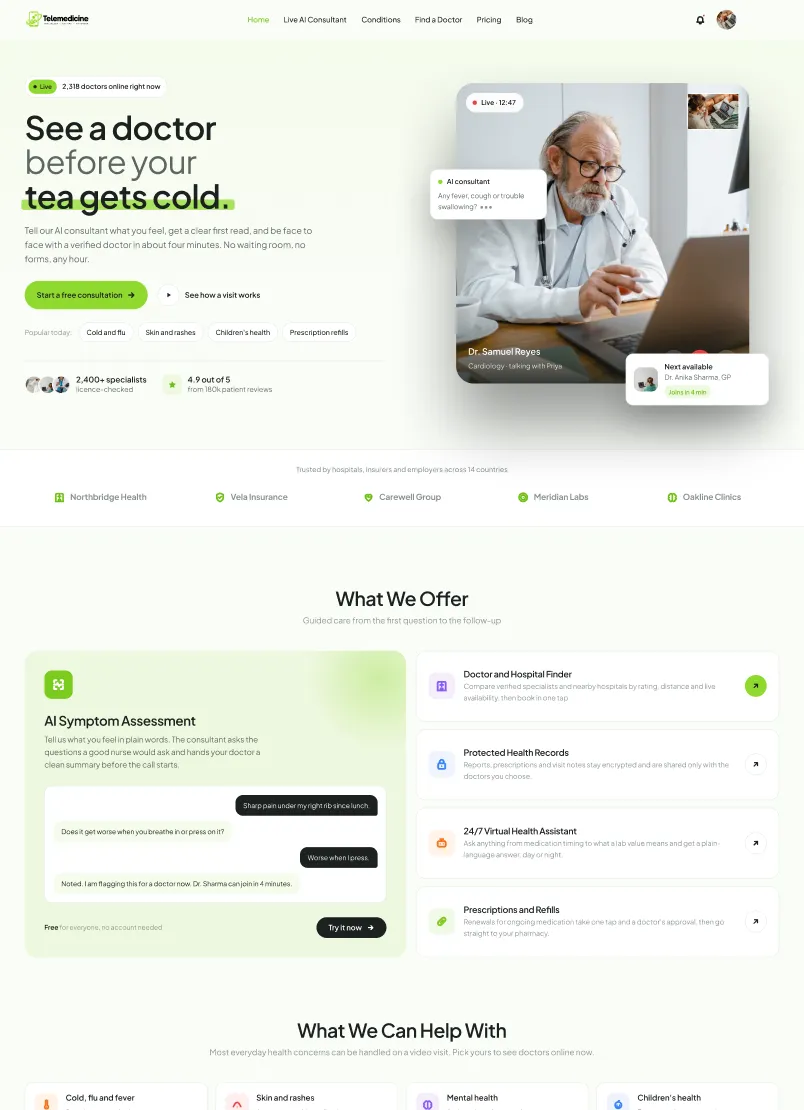
Telemedicine
A complete, conversion-focused website for online doctor consultations, virtual clinics, health startups and medical practices, ready to launch in an afternoon.
More themes and plugins are in development and released regularly. Both Theme Developer and Plugin Developer badges sit on our WordPress.org profile, alongside the review tickets behind each release, and the full catalogue is at scintillawpthemes.com. It is the same standard we build client sites to.
Where WordPress sites go wrong
- Plugin sprawl
Thirty or forty active plugins, several doing overlapping jobs, a few abandoned by their authors. Since the overwhelming majority of vulnerabilities arrive through plugins rather than core, every unnecessary one is both a speed cost and a security surface.
- A theme working against the editor
A builder bolted onto a theme never designed for it, or a block theme handed to a team who edit in a builder. Either way you carry two systems and the overhead of both on every page view.
- Mobile performance
Fewer than half of WordPress sites pass Core Web Vitals on mobile, according to HTTP Archive's Web Almanac. Almost all of that is theme code, images and plugin weight rather than the platform.
- No content model
Everything typed into one editor field, so nothing can be reused, restructured or templated later. Adding a location or a service means rebuilding a page by hand.
We know the internals because we build products inside them — themes and plugins that have to pass review our clients' sites never face.
That means we follow coding standards, deprecations and security guidance as they change, rather than discovering them when something breaks after an update.
"They migrated our HTML site to WordPress seamlessly, keeping the design intact while making it much easier to manage. The new site is faster, cleaner, and easier to update"
Dr. Lubaina Ali - Owner, HabtalksFewer moving parts,
built to be updated
Audit
Plugin inventory, theme code, query profiling, performance budget and search visibility, written up with what each is costing.
Content model
Post types, taxonomies and blocks defined first, so pages are composed rather than hand-built.
Theme build
Block, classic or builder theme depending on the decision above, with custom code replacing the plugins that were doing one small job each.
Handover
Staging environment, tested update routine, training and a recorded walkthrough. Every credential in your name.
WordPress developers, not an agency that installs WordPress
Our themes and plugins are listed on WordPress.org and maintained against every core release. Your site benefits from work we were doing anyway.
Start a project ↗We ship products on WordPress.org +
Maintaining listed themes and plugins means passing review and following coding standards continuously. Client sites are built to the same bar.
The theme architecture that suits your team +
We build block themes, classic customizer themes and page-builder themes. The right one depends on what your team already edits in, not on what we prefer to write.
Fewer plugins by design +
Where a small custom function replaces three plugins, we write it. Less to update, less to break, less exposed.
Performance treated as a budget +
A target agreed at the start and checked at every stage, measured on mid-range phones rather than a developer's laptop.
Updates you are not afraid of +
Staging environment, tested update cycle and backups, so security patches get applied instead of postponed indefinitely.
You own everything +
Theme code, hosting, domain and admin credentials from day one. GPL throughout, with no agency-locked licences.
WordPress work we take on
From a single custom theme to a multisite network with a plugin built behind it.
Custom theme development
Block themes for full site editing, classic themes with customizer controls, and page-builder themes for Elementor, Bricks or WPBakery — built to the standards each expects.
A theme built for the editor your team already uses is faster to run and cheaper to maintain than a generic one bent to fit. We build all three, so the recommendation is not a preference.
Plugin development
Custom plugins for a single site, and public plugins maintained in the WordPress.org directory, built to coding standards rather than bolted together.
We maintain listed plugins, so we work inside the same review standards, deprecations and security expectations the directory enforces.
WooCommerce
Stores with real catalogue depth — B2B tiers, trade accounts, bulk enquiry carts and ERP connections that a hosted platform will not accommodate.
Woo earns its place when a store needs content and commerce in one system, or pricing rules a hosted cart cannot express.
Migrations and replatforms
Moves from legacy CMS, Wix or Squarespace onto WordPress, with every indexed URL mapped and redirected before launch.
Rankings are lost in migrations when redirects become a launch-day task rather than a deliverable planned before design begins.
Performance engineering
Plugin audit, query profiling, object caching and image pipeline work against a measured budget rather than a plugin that promises speed.
Most WordPress slowness is accumulated plugins and unoptimised queries. A caching plugin hides that; it does not fix it.
Security and maintenance
Hardening, controlled update cycles on staging, monitoring and backups — so updates stop being something the team is afraid of.
Sites go unpatched because updates once broke something. Untested updates are how a small problem becomes a rebuild.
Headless WordPress
WordPress as the editing layer behind a decoupled front end, where the content team keeps the interface they know.
Worth it when you genuinely need several front-ends or a shared content source. Otherwise a well-built theme performs just as well.
Multisite and multilingual
Networks for multi-location or multi-brand businesses, and translation setups that stay indexable in each language.
One network beats twelve separate installs the moment somebody has to apply a security update to all of them.
WordPress questions, answered
What kinds of themes do you build? +
All three — block themes for full site editing, classic themes with customizer controls, and page-builder themes. We develop and maintain themes of each type, so we recommend based on your team rather than our habits.
Do you work with Elementor and other builders? +
Yes. We build themes specifically for Elementor, Bricks and WPBakery, and we work on existing builder sites. A theme built for the builder performs far better than a generic one adapted to it. If performance is the priority and the site is mostly content, ask us about Astro instead.
Can you build a custom plugin? +
Yes — private plugins for a single site and public ones for the directory. Built to WordPress coding standards, with an update path.
Will the site be optimised for search? +
Technical SEO is part of the build: URL structure, schema, internal linking and crawl efficiency decided during development rather than retrofitted.
Can you migrate our existing site? +
Yes, from legacy CMS, Wix, Squarespace or an older WordPress install. Every indexed URL is mapped and redirected before launch.
How do you make WordPress fast? +
Plugin audit first, then queries, caching and images. Removing what is not needed usually beats anything a caching plugin can do on top.
What does a WordPress build cost? +
Custom theme builds typically start around ₹85,000 and scale with scope. Plugin development is quoted separately after a specification.
Do you offer ongoing support? +
Yes. A maintenance retainer covers tested core and plugin updates, monitoring, backups and a monthly performance check.
Ready for a WordPress site you can actually maintain?
Thirty minutes on your site, your plugin list and what it is costing you. No pitch deck.
Book a free call ↗